<- back
 Markdown editors suck at handling files
11 nov 2025
What has stopped me from using ANY mainstream markdown editors for my
blog is because they SUCK at handling images and renaming. They
typically fall into a few categories:
> I do want to state that most of the time, I am using the clipboard to
> copy and paste images, I am not talking about dragging and dropping
> images, that takes wayyy too much time, having to open up a finder
> window and finding a file.
## 1. Import and Forget
-----------------------
This is the simplest behavior, VSCode does it:
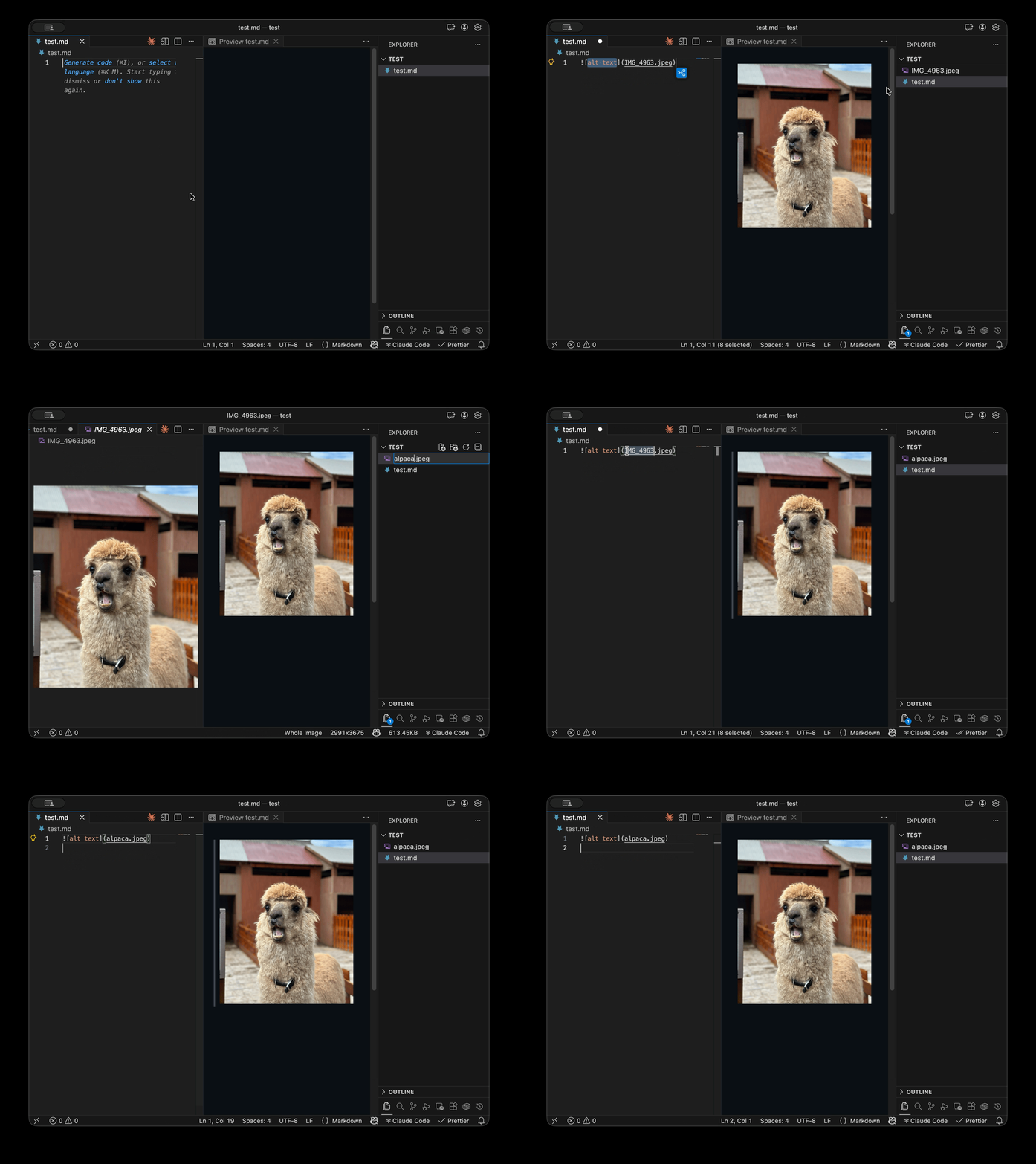 However, because screenshots are always named some gibberish such as
`SCR-20251111-kcnb.png` I almost ALWAYS want to IMMEDIATELY rename them.
VSCode makes this excruiatingly difficult. I have to:
Action Added Click/Key Operations
-------------------------------------------- --------------------------
1. Import the image 1
2. Click on the image file in the sidebar 1
(WHICH CHANGES MY LEFT EDITOR FOCUS TO THE
IMAGE, AND IF I WANT TO NOT DO THIS, I HAVE
TO RIGHT CICK AND THEN SELECT RENAME)
3. Press `return` and rename, followed by 3
`return`
4. Close the opened image tab resulting from 1
step #2
5. Double click the filename to select, and 2
MANUALLY type in the new name
6. Click somewhere else and start typing 1
Total 9
Inserting an image and trying to make it maintainable for later me
requires NINE STEPS PER INSERTION?!?!
## 2. Auto update
-----------------
 Obsidian has an "Auto update internal links after renaming", which
sounds helpful, and it is much better than VSCode, but it is still
largely inefficient.
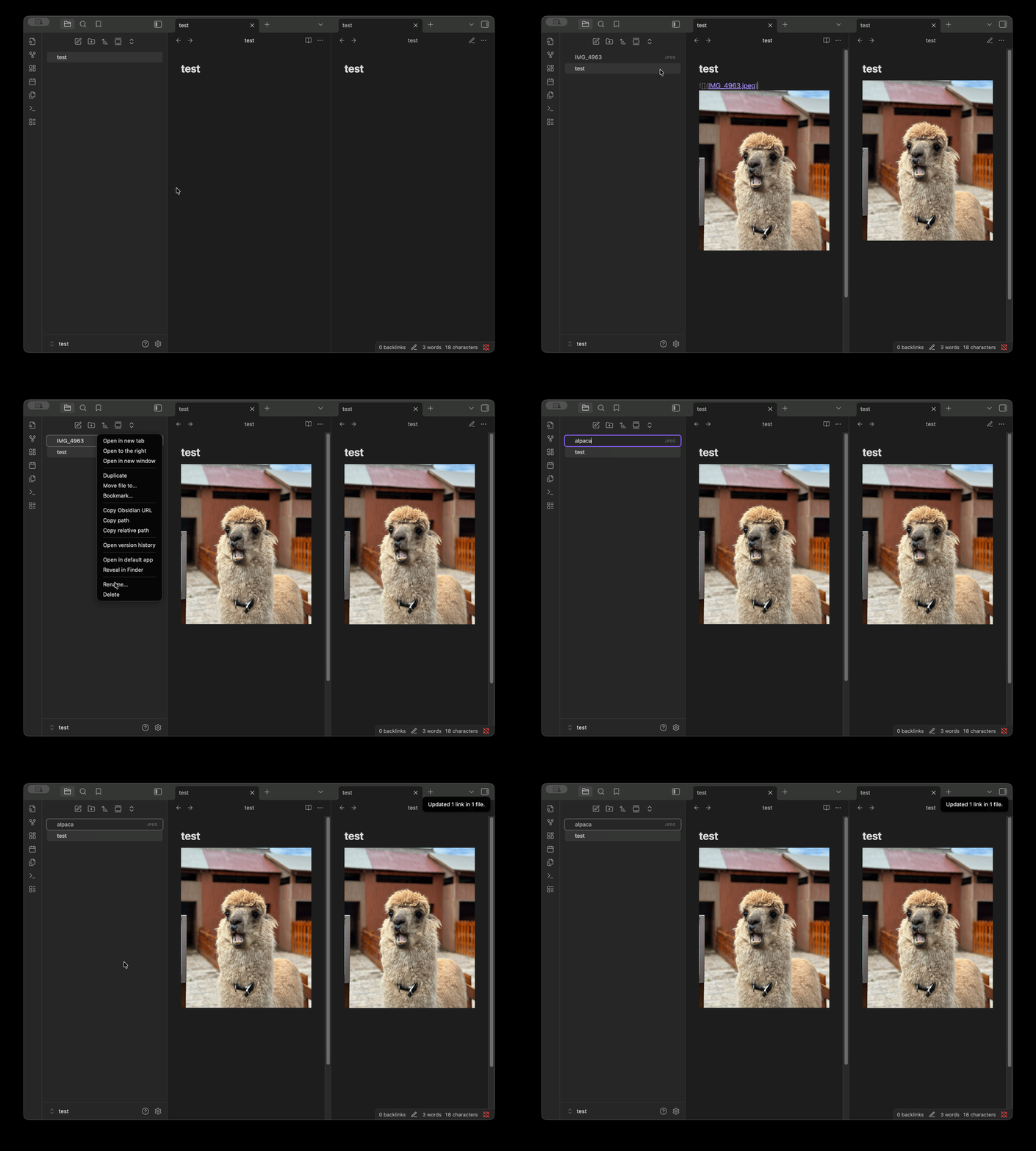 Action Added Click/Key Operations
----------------------------------- -----------------------------------
1. Import the image 1
2. Right click and select "Rename", 3 (Time penalty for having to move
since they don't support pressing the cursor down the right click
`Enter` to rename menu and find `Rename`
3. Rename, followed by `return` 2
4. Click somewhere else and start 1
typing
Total 7
There are a couple issues here, mainly the right click menu. Your eyes
have to start from the top and trace down it to the "Rename" option. The
operation isn't guarenteed, you have to make sure you click the right
option, unlike a keyboard shortcut, its vastly less deterministic and I
have accidently hit `Delete` doing this. Overall, pretty good
experience, not as optmized as it could be. Another minor issue is that
it does not automatically return focus back to my editor after the
renaming procedure.
## 3. My implementation
-----------------------
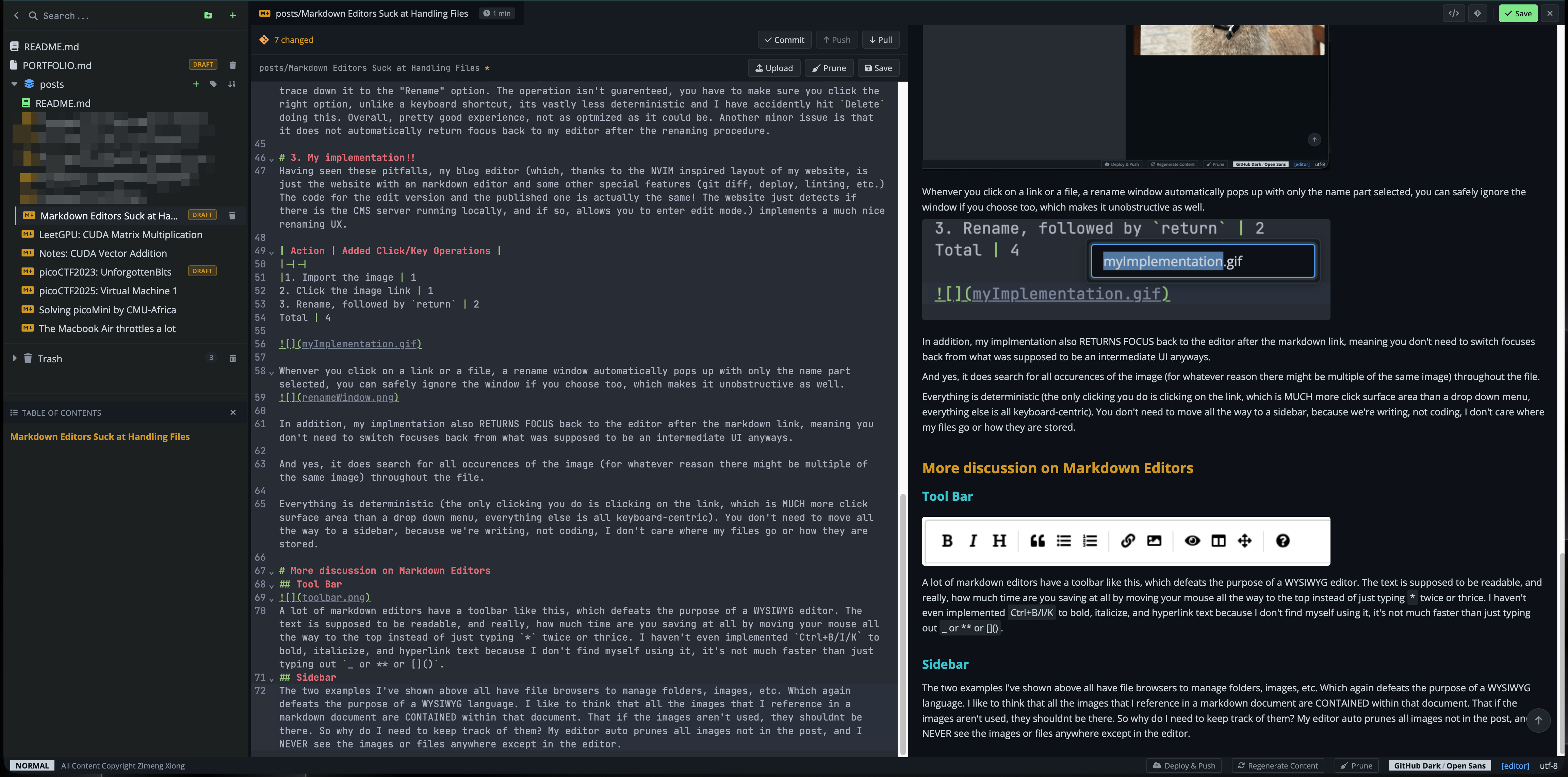
Having seen these pitfalls, my blog editor implements a much nicer
renaming UX.
Action Added Click/Key Operations
------------------------------- --------------------------
1. Import the image 1
2. Click the image link 1
3. Rename, followed by `return` 2
Total 4
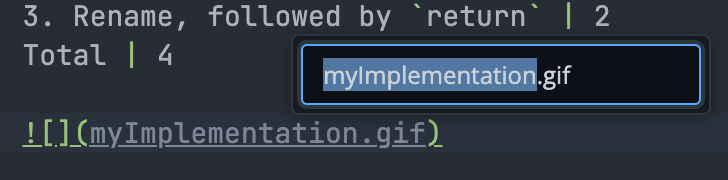
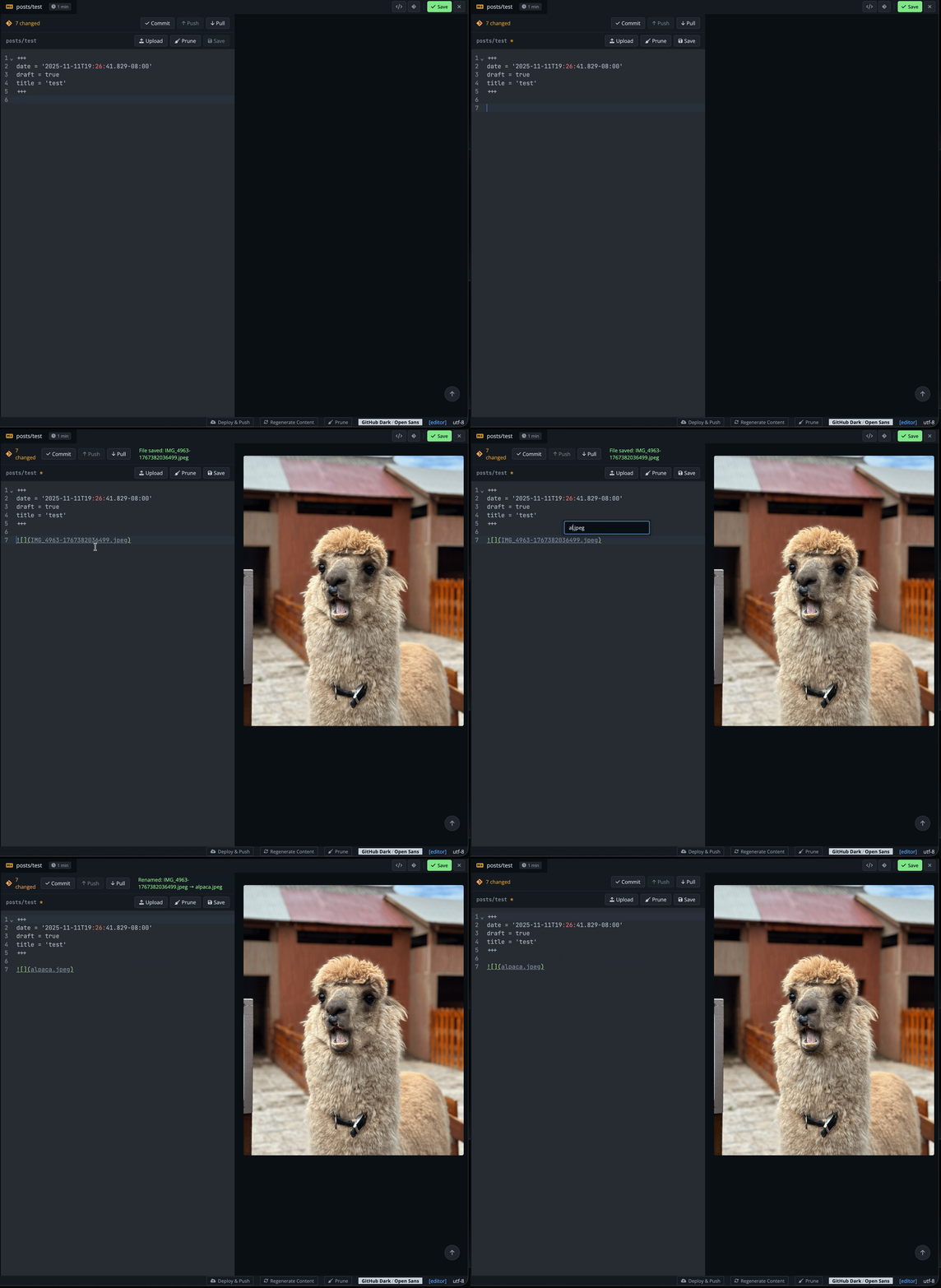 Whenver you click on a link or a file, a rename window automatically
pops up with only the name part selected, you can safely ignore the
window if you choose too, which makes it unobstructive.å
 In addition, my implmentation also RETURNS FOCUS back to the editor
after the markdown link, meaning you don't need to switch focuses back
from what was supposed to be an intermediate UI anyways.
And yes, it does search for all occurences of the image (for whatever
reason there might be multiple of the same image) throughout the file.
Everything is deterministic (the only clicking you do is clicking on the
link, which is MUCH more click surface area than a drop down menu,
everything else is all keyboard-centric). You don't need to move all the
way to a sidebar, because we're writing, not coding, I don't care where
my files go or how they are stored.
A keyboard shortcut is muscle memory; a context menu is a visual search
task. Every time you force a writer to look at UI, you've already lost.
The best UI for writing is invisible UX.
## 4. HM: Github
----------------
Forget renaming, why keep your files in the repo anyways? Make free use
of Github's S3 or Azure storage: Technically, it scores the best:
Action Added Click/Key Operations
------------------- --------------------------
1. Import the image 1
Total 1
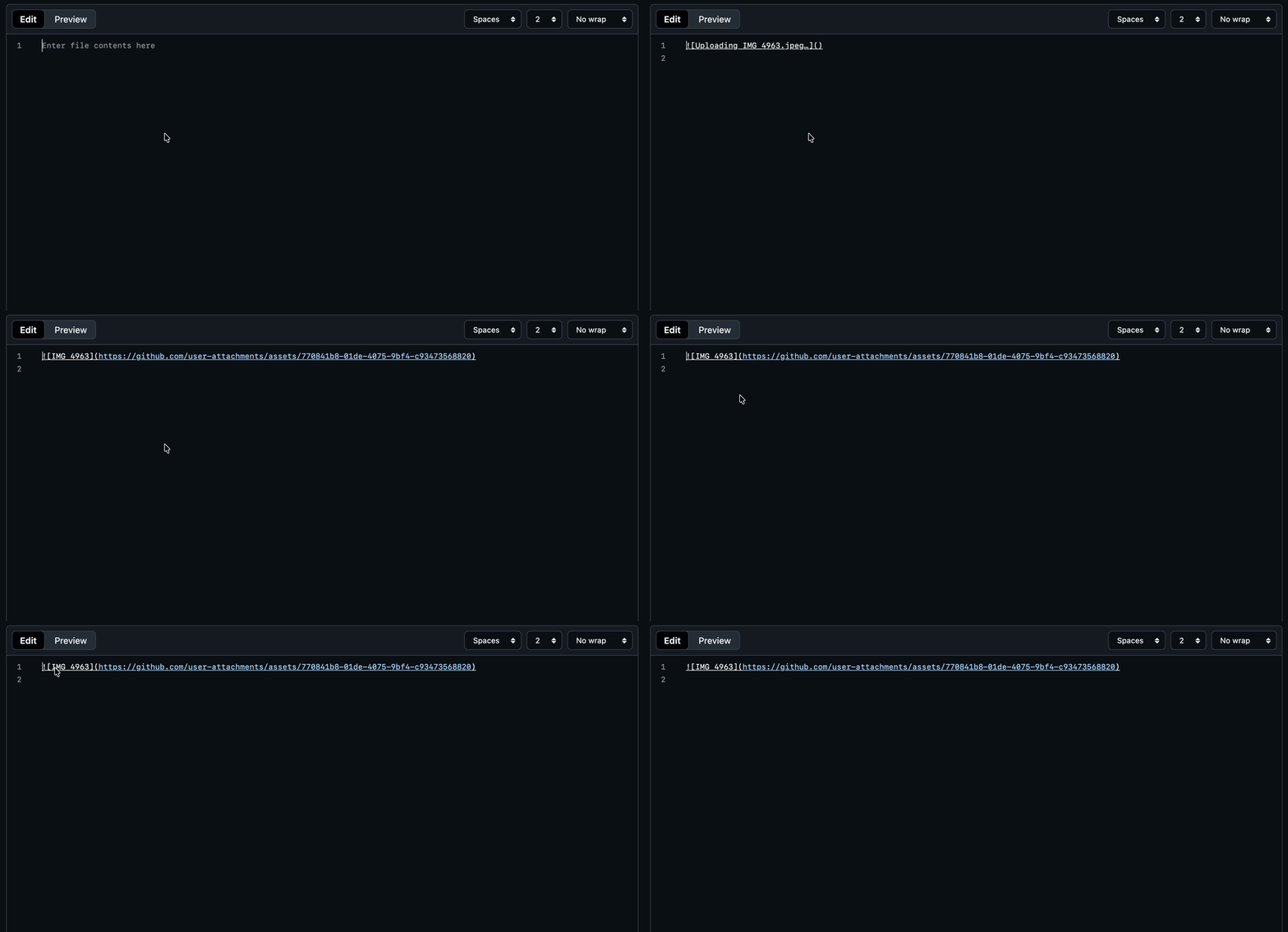 On a more serious note, I don't actually mind this implementation. It
fits in nicely with my view that images should be stored within
markdown, and github accomplishes exactly this. I never have to worry
about where my images are, or renaming them in the first place. And
since its rare I want to use the same image twice (basically never), why
even rename? Only downside of this approach is that I still want to be
able to manage my files locally, and for that, I (and LLMs!) do want to
be able to easily identify them.
## More discussion on Markdown Editors
--------------------------------------
### Tool Bar
 A lot of markdown editors have a toolbar like this, which defeats the
purpose of a WYSIWYG editor. The text is supposed to be readable, and
really, how much time are you saving at all by moving your mouse all the
way to the top instead of just typing `*` twice or thrice. I haven't
even implemented `Ctrl+B/I/K` to bold, italicize, and hyperlink text
because I don't find myself using it, it's not much faster than just
typing out `_` or `**` or `[]()`.
### Sidebar
The two examples I've shown above all have file browsers to manage
folders, images, etc. Which again defeats the purpose of a WYSIWYG
language. I like to think that all the images that I reference in a
markdown document are CONTAINED within that document. That if the images
aren't used, they shouldnt be there. So why do I need to keep track of
them? My editor auto prunes all images not in the post, and I NEVER see
the images or files anywhere except in the editor. This keeps my
attention focused in the editor, not in a file browser (ironically)
 Markdown's true potential will remain buried under unnecessary
complexity for as long as developers continue with this BS.
 <- back
<- Agents will need a good window manager
picoCTF2025: Virtual Machine 1 ->